
01Foundation
Monomi 63 × 28 standing desk — Rustic Brown
A currently available wide standing desk with enough width for two aligned displays.
Why start hereConfirm your wall width and cable outlet position.
See live price on Amazon ↗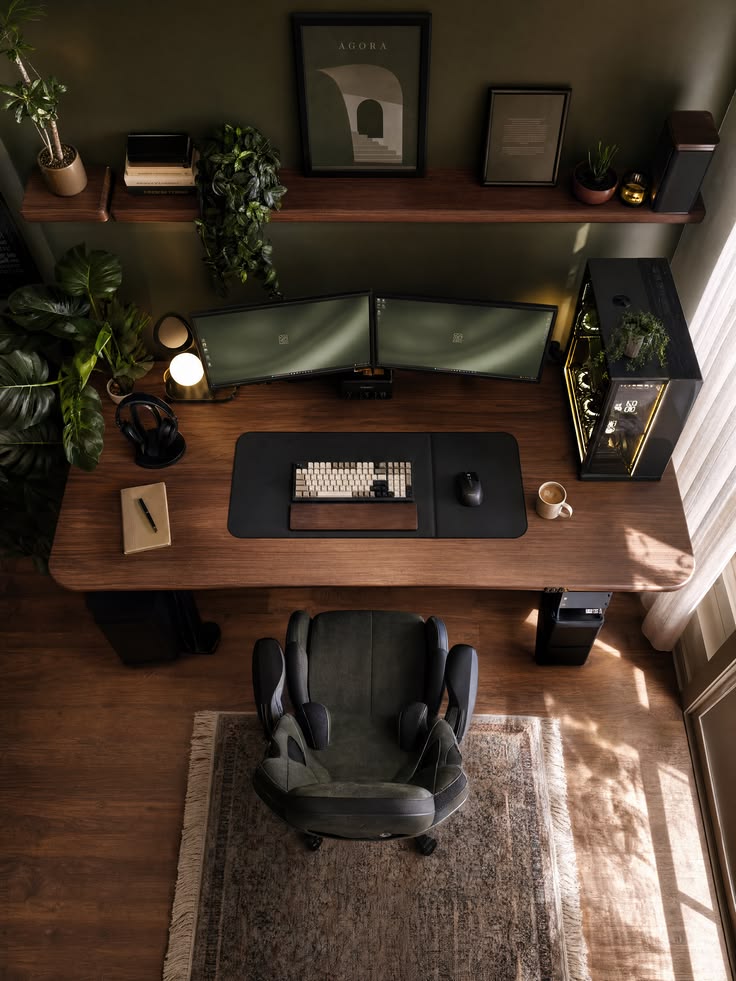
Earthy dual-screen / small room
A measured dual monitor gaming setup for a small room—built around desk width, screen alignment and chair clearance.
Shop the look, in the right order
Do not attempt to buy an eight-item fantasy setup. Choose your anchor first: desk for the footprint, chair for daily comfort or display for the visual payoff.
As an Amazon Associate we earn from qualifying purchases. You pay the same price; AFK Aesthetics may receive a commission.
A currently available wide standing desk with enough width for two aligned displays.

A dark ergonomic chair fits the restrained green-and-walnut palette.

Matching panels make alignment, color and arm tension easier to manage.
Images shown are from the linked Amazon listings. Verify finish, dimensions, availability and current price on Amazon before buying.
Reality check
Two 27-inch screens need enough width for alignment without crowding the PC.
A monitor arm helps, but it cannot rescue an unusually shallow top.
Measure from desk edge to the nearest wall, bed or storage behind you.
Verify VESA pattern and the weight of each monitor without its stand.
Important: verify the current retailer specifications, VESA compatibility and load ratings. Do not infer dimensions from the concept image.
Optional upgrades
These additions improve daily use and finish the look. Buy selectively rather than treating the page as a bundle.
Do not buy everything at once
Fix the footprint and sightline. Stop here if the room is already complete.
Products 01–03Reclaim desk depth and improve daily interaction before buying decor.
Products 04–06Add visual polish only after the ergonomics and cable route work.
Products 07–08